Discuss your project

Category

Sonata

26 articles

Sonata Extra Bundle: application firewall

The SonataExtraBundle provides a set of enhanced features for managing firewall rules in the Sonata Admin environment. This bundle allows administrators to create and manage rules to filter requests based on different criteria such as forbidden words, IP addresses, and user agents.
Sonata Page 5: add Open Graph tags with Sonata Page and Sonata Media

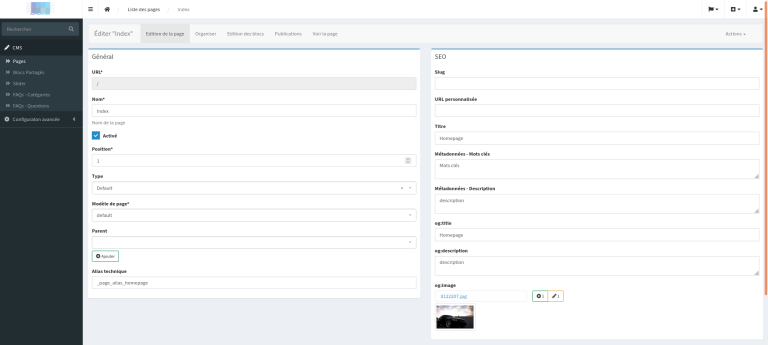
If you have already used SonataPage and SonataMedia, you know how powerful they are for managing content and media on your site. In this article, I am going to show you how to extend these tools to easily add Open Graph tags to your pages to enhance their sharing on social networks. Why Open Graph tags? Open Graph (OG) tags are meta-tags that you can add to your pages to define titles, descriptions, images, and other information that will be used when the page ...

Sonata: add an administration panel without an entity with Sonata Admin 5 and Symfony 6.2

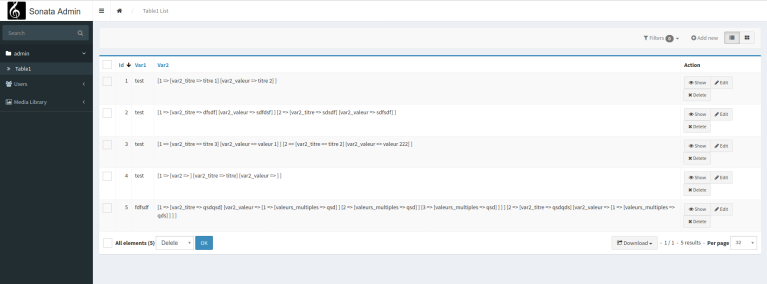
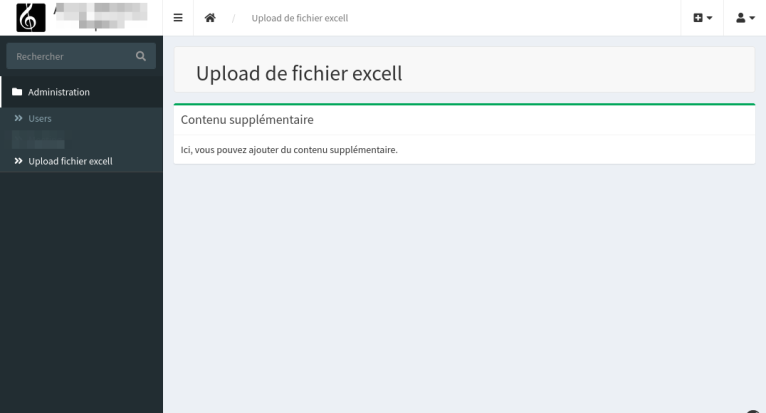
In this article, we will learn how to add an admin panel without entities in a Symfony 6.2 project using Sonata Admin 5. Our project base will be to create a simple file upload interface. But you could make any application. Including adding simple text. 1. Installing Sonata Admin Bundle If you haven't already installed Sonata Admin, you can do so with composer: composer require sonata-project/admin-bundle We invite you to browse our site to install Son...

Sonata Admin: add custom actions

Following the article written by Thomas Bourdin SYMFONY / SONATA: ADDING A CLONE FUNCTION TO A CRUD, we are going to show how, in a very simple way, we can add custom actions to an interface. On the Dashboard: But we are also going to see how to simply and generically customize the custom actions of the listing, your CRUD’s header and finally how to add actions for batch processing. For my example, I started with a very simple table called ...

Sonata Admin: DataMapper and autowiring

If you have a specific need to transform data between the form and the recording of your entity and think that this transformation code should be located in a service because it makes more sense, you can use the dataMapper by utilizing the dependency injection provided by Symfony. But how to implement it? A small reminder about the DataMapper. If we agree with the official Symfony documentation regarding DataMapper and DataTransformer, a dataMapper has the responsibility to read and write an ...

SF6 / Sonata 5: Managing a OneToMany interface in a CRUD with Sonata's CollectionType

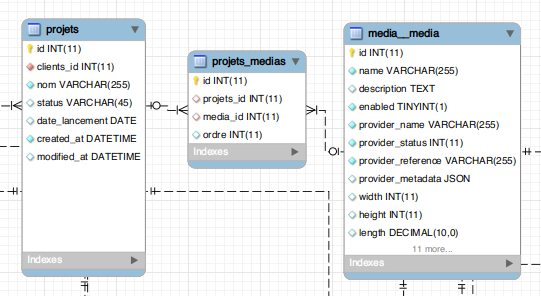
In this example, we will take the concrete case of a simple interface that includes multiple elements. We have chosen to use a "Projects" table in which we will assign documents. Therefore, for a project, we can assign several documents. And to facilitate administration, we will ensure that we can manage our nested interface directly within the edit view of our project.We need to create the schema. Firstly, we import our current schema into MysqlWorbench usi...

Symfony 6 / Sonata 5: Installation of SonataClassification.

We have seen in previous articles how to initialize a Symfony 6 + Sonata 5 project with media and users in a secure admin. We then looked at how to manage user localizations.Now we will see how to install and manage classifications. We proceed with the installation of the latest version to date. php8.1 composer.phar require sonata-project/classification-bundle:5.x-dev Apparently, we have a configuration error. Unrecognized option "media" under "sonata_classification.class". Availabl...

Symfony 6 / Sonata 5: Link locales and the time zone to user preferences.

We saw in a previous article how to install Symfony 6 + Sonata Admin 5 with user and media management. We will continue this installation with the configuration of languages and time zones. We will install intlBundle which allows to manage localized display. php8.1 composer.phar require sonata-project/intl-bundle We take this opportunity to add a timezone and locale field to the user.To do this, we will extend userBundle and add a field in the admin...

Symfony 6 / Sonata 5: Initialize a Symfony 6 project + Sonata admin 5 + UserBundle + MediaBundle

Here are the commands to initialize a Symfony project with a secure admin. To run Symfony 6 we will need to install php8.0 or php8.1 For php8.0 sudo apt-get install php8.0-cli libapache2-mod-php8.0 php8.0-common php8.0-opcache php8.0-igbinary php8.0-imagick php8.0-msgpack php8.0-readline php8.0-memcached php8.0-xml php8.0-mbstring php8.0-gd php8.0-mysql php8.0-curl php8.0-intl php8.0-memcache php8.0-memcached memcached libapache2-mod-php8.0 php8.0-zip php8.0-mysql For...

Symfony 4 / Sonata: Create a second interface with the same entity

Here we will see how to create a second interface while the entity is already in use in a CRUD interface.The problem with automatically generated interfaces is that they use the name of the entity to construct the routes.If we configure a second interface with an entity that is already used, we will end up with the same route as the first.To address this issue, we will use these two parameters in our admin class to override the default values.Suppose we are using the entity "model", we could...

Symfony 4 / Sonata: managing a multilingual administration interface

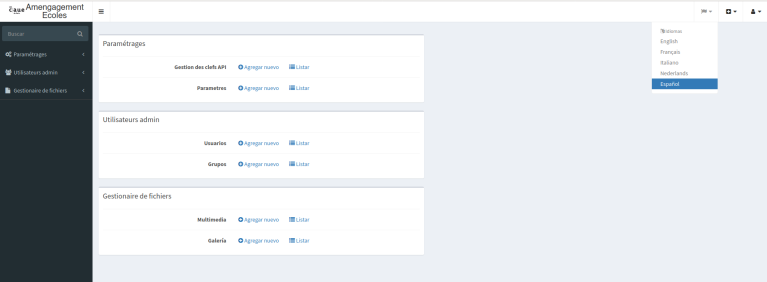
We will see how to set up a multilingual admin interface with a language selection button (language switcher).Installing translationBundle composer require sonata-project/translation-bundle bin/console assets:install The language switcher requires a specific twig filter.Otherwise, you will get an error like:Unknown "language_name" filter.Then, you need to install these two bundles composer require twig/intl-extra composer require twig/extra-bundle bin/console cache:clear We add the default c...

Symfony 4 / Sonata: managing a multi-server administration interface

We will see how to manage an admin interface that connects to multiple servers.In our example, we have set up a default MySQL server that manages our admin interface. Users, media, etc.And we have set up a PostgreSQL server that contains a table we wish to manage.We can add as many servers as we wish. Our MySQL Server We have traditionally set up a Symfony Sonata instance by default with a classic MySQL connection. So we can create our database, the schema, and...