






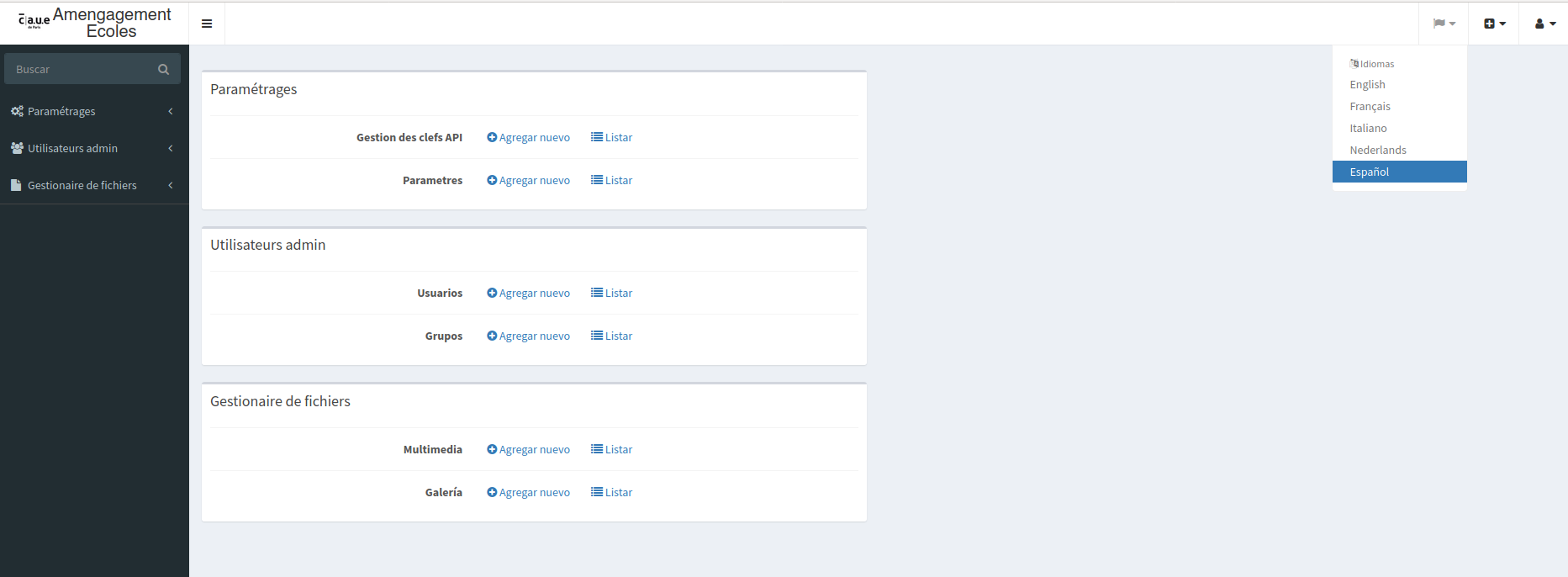
We will see how to set up a multilingual admin interface with a language selection button (language switcher).
Installing translationBundle
composer require sonata-project/translation-bundle

bin/console assets:install
The language switcher requires a specific twig filter.
Otherwise, you will get an error like:
Unknown "language_name" filter.
Then, you need to install these two bundles
composer require twig/intl-extra
composer require twig/extra-bundle
bin/console cache:clear
We add the default configuration
# config/packages/sonata_translation.yaml

sonata_translation:
    locales: [en, fr, it, nl, es]
    default_locale: en
    # change default behavior for translated field filtering.
    default_filter_mode: gedmo # must be either 'gedmo' or 'knplabs', default: gedmo
    # here enable the types you need
    gedmo:
        enabled: true
    knplabs:
        enabled: true
    #phpcr:
    #    enabled: true
And we include styles in the admin
# config/packages/sonata_admin.yaml

sonata_admin:
    assets:
        extra_stylesheets:
            - bundles/sonatatranslation/css/sonata-translation.css
We override the display of the sonata template
# config/packages/sonata_admin.yaml

sonata_admin:
    templates:
        layout: '@SonataTranslation/standard_layout.html.twig'
We add the routes
# config/routes.yaml

sonata_translation:
    resource: '@SonataTranslationBundle/Resources/config/routes.yaml'
And we enable the language switcher
# config/packages/sonata_translation.yaml

sonata_translation:
    locale_switcher: true
And the last point to avoid the error
Argument 5 passed to Twig\Extra\Intl\IntlExtension::formatDateTime() must be of the type string, null given,
You will have to load the twig/extra-bundle before SonataIntlBundle so that sonataIntl's formatDateTime function overrides the one from TwigExtraBundle.
This gives us:
    Sensio\Bundle\FrameworkExtraBundle\SensioFrameworkExtraBundle::class => ['all' => true],
    Twig\Extra\TwigExtraBundle\TwigExtraBundle::class => ['all' => true],
    Sonata\IntlBundle\SonataIntlBundle::class => ['all' => true],
    Sonata\TranslationBundle\SonataTranslationBundle::class => ['all' => true],
Adapt the example to the installed version
The Symfony and Sonata examples remain tied to the versions indicated in the article. Symfony 4.x and Symfony 6.2 are no longer maintained: for a current project, use a maintained branch and the documentation that exactly matches your dependencies.
php bin/console about
composer show symfony/framework-bundle sonata-project/admin-bundle
Before resuming the code, check the signatures, services, routes, and templates concerned. Then add a functional test covering permissions, HTTP code, and the visible result.
Reference: maintained Symfony versions.