Discuss your project

PartITech blog

Technology blog

Technical analysis, practical guides and field experience to build, modernize and maintain sustainable applications.

232 articles Page 11

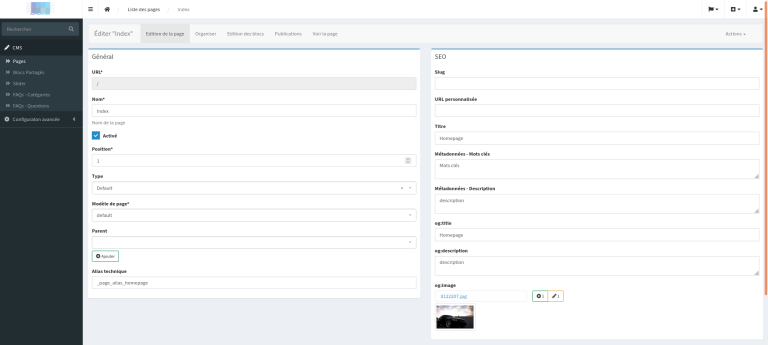
Sonata Page 5: add Open Graph tags with Sonata Page and Sonata Media

If you have already used SonataPage and SonataMedia, you know how powerful they are for managing content and media on your site. In this article, I am going to show you how to extend these tools to easily add Open Graph tags to your pages to enhance their sharing on social networks. Why Open Graph tags? Open Graph (OG) tags are meta-tags that you can add to your pages to define titles, descriptions, images, and other information that will be used when the page ...
Sonata Page 5: Hiding blocks in shared blocks.

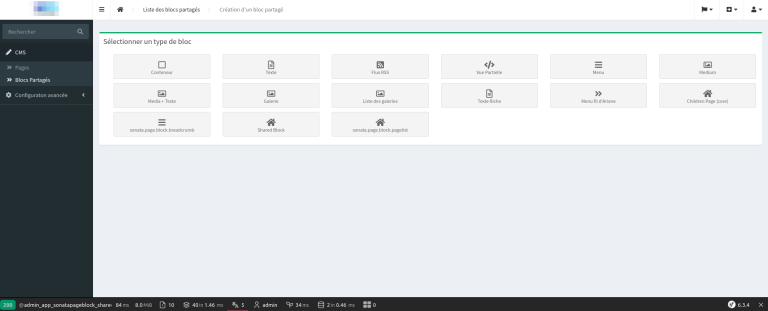
If you're using the SonataPage bundle, you may have noticed that some of the blocks offered are unnecessary or non-functional.We'll discuss how to hide these blocks from the list cleanly, with a configuration file, and by overriding the admin templates of SonataPage. 1 – The Configuration We need to create a list of services that we don't want to display. This list will naturally go into the parameters of our services file: #con...

Sonata: add an administration panel without an entity with Sonata Admin 5 and Symfony 6.2

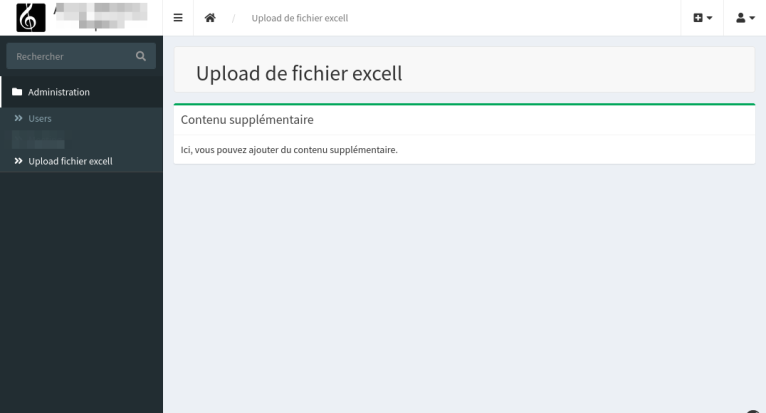
In this article, we will learn how to add an admin panel without entities in a Symfony 6.2 project using Sonata Admin 5. Our project base will be to create a simple file upload interface. But you could make any application. Including adding simple text. 1. Installing Sonata Admin Bundle If you haven't already installed Sonata Admin, you can do so with composer: composer require sonata-project/admin-bundle We invite you to browse our site to install Son...

How to create a custom email transport with Symfony Mailer

Today, we're going to see how to create a custom email transport with Symfony Mailer. For the example, we'll create a transport named “pt”. Prerequisites Before we begin, make sure you have installed and configured Symfony Mailer and HttpClient in your project. You can add them to your project using the following commands: composer require symfony/mailer composer require symfony/http-client Creating the Transport Class The first thing to do is...

PHP FFI: creating a binding for QuickJS — part 5

To conclude this mini technical file on PHP's foreign functions interface, I set out to simply connect to a lib. A kind of challenge that could at the same time help me progress on the topic. So I had to come up with a project idea. Something not too small or too simple but also not too big. Failed, I found an idea but this turns out to be much more complex than I imagined. No matter, I still tried. So for our article, I thought I would attempt...

Symfony: force an entity to use a different database connection from the default connection

It is not uncommon to have multiple databases for a single project. Normally, when two databases are used, entities can be organized into specific directories that are declared in your configuration. In this case, the system will use the connection configured for the entity directory. You can see an example of multiple connections here Symfony 4 / Sonata: managing a multi-server admin interface Let's assume that we want to point to a read-only database (a ...

Using Composer and bin/console from PhpStorm with Docker

Okay, you are like me. Your machine has nothing installed locally. Not even composer nor PHP in CLI!While you use PHP and maybe even Symfony (or not), you need to use composer daily. You use PhpStorm every day and think it's a shame not to benefit from all the options of your IDE, especially everything related to composer and the Symfony console. So how do you configure PhpStorm to specify that the composer for your project is located in the docker image?Here is an example of docker-compose.y...

Sonata Admin: add custom actions

Following the article written by Thomas Bourdin SYMFONY / SONATA: ADDING A CLONE FUNCTION TO A CRUD, we are going to show how, in a very simple way, we can add custom actions to an interface. On the Dashboard: But we are also going to see how to simply and generically customize the custom actions of the listing, your CRUD’s header and finally how to add actions for batch processing. For my example, I started with a very simple table called ...

Debugging Symfony in Docker with PhpStorm

PHP/Docker Configuration If you are developing with Symfony, installed in a docker compose and still not using the debugger, then this article is for you. We are going to show you how to prepare your environment so you no longer have to do dd() or var_dump. Once you have tasted the joys of debugging, you won't be able to do without it, as it will greatly enhance your comfort. For this article you need to have a Symfony app powered by apache/php (or nginx and...

Create and publish a PHP library with Composer

What is Composer? Just as NPM is to JavaScript, Composer is the dedicated tool for PHP that allows you to manage library dependencies for your applications. If you've used a framework like Symfony, you've definitely used it. In reality, every PHP developer uses it on a daily basis. If you're on this page, you're probably wondering how to create a library that can be easily redistributed and shared with the community. That's what I'll try to show you. For the sake of our tutorial, I'll take a ...

PhpStorm: configure quality tools in Docker

Here's a question I recently pondered. Usually, I install QA tools directly on my host or in the Docker image. If tools are installed on my host, there's no problem configuring PhpStorm. If the tools are directly configured in the Docker image, there's also no problem using them within the image. However, how can one combine the power of PhpStorm and Docker to link the two? So, here’s how to proceed with the installation of php_codesniffer, Mess Detector, CS Fixer, PSalm, PhpStan. ...

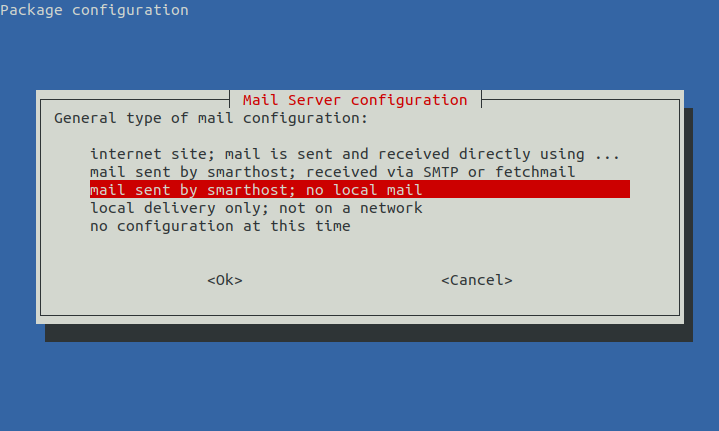
Configure Exim to send emails with Gmail

We will see how to configure Exim4 to send system emails with Gmail. This will ensure that your emails sent with your CRON are correctly routed and do not end up in spam. Let's install Exim4 apt-get install exim4 Configuration dpkg-reconfigure exim4-config Choose: mail sent by smarthost; no local mail Then answer the questions as follows: System mail name: YOUR_HOSTNAME IP-addresses to listen on for incoming SMTP connections: 127.0.0.1 ; ::1 Other destinations fo...