






Declare an administration with the PHP attribute #[AsAdmin]
- Place the admin service declaration directly on its class.
- Documentation: as-admin-attribute.md
- Code overview:

Activity log in the administration
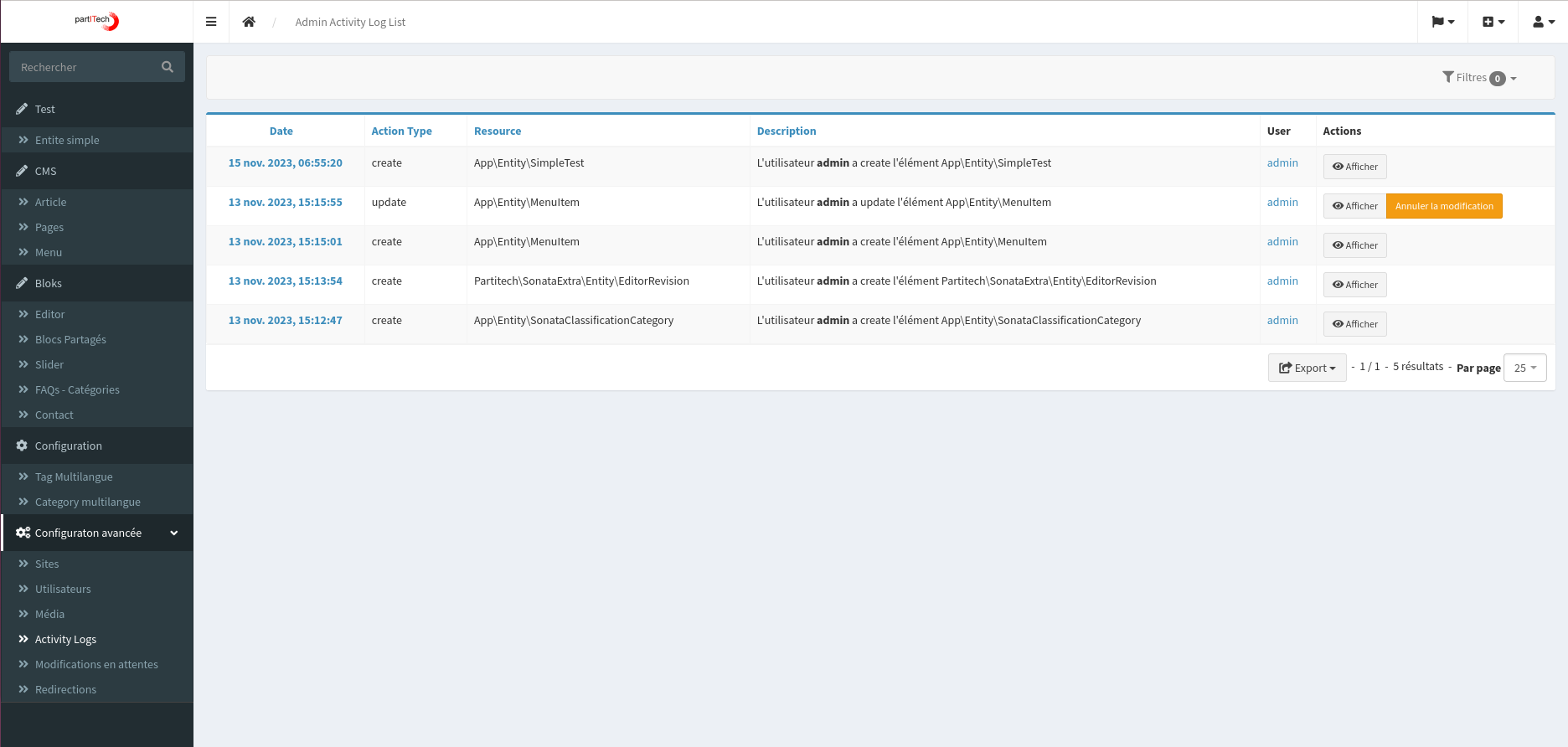
The activity log feature in the Sonata Extra Bundle is designed to monitor and record all activities on the administration site. It provides a comprehensive view of the actions taken, the resources involved, descriptions of the activities, and the users who performed them.
-
Display of the action type: Displays the type of action performed (for example, create, update, delete).
-
Resource tracking: Identify the resource that was affected by the action.
-
Action Description: Provides a detailed description of the activity.
-
User Identification: Displays the user who performed the action.
-
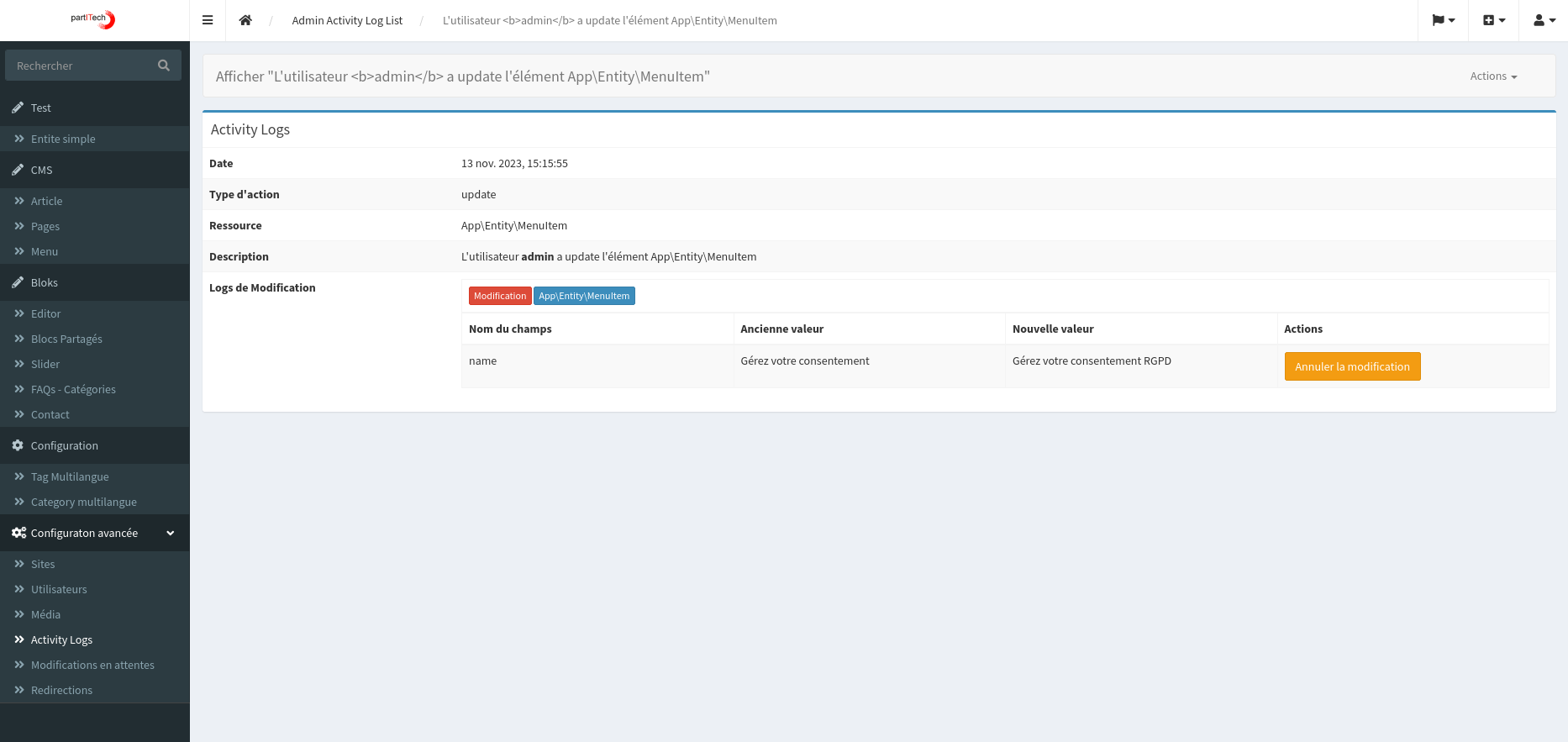
Detailed view: Provides an in-depth view of the elements changed in each activity.
-
Undo Feature: Includes a function that allows changes to be reversed when possible.
-
List view:
- Detailed view:
Activity Approval
The SonataExtra approval workflow is designed to record all actions within the admin site, providing a comprehensive overview of activities, involved resources, descriptions, and users. This feature ensures that actions are recorded but not applied immediately. Instead, they require validation by a user with ROLE_APPROVE permission.
-
Action Logging: Records each action but does not apply the changes immediately.
-
Role-based approval: Actions require the approval of a user with
ROLE_APPROVE. -
Pending Changes Alert: A red notification badge in the administration interface alerts administrators of changes awaiting approval.
-
Detailed action view: Displays the action type, the resource, the description, the user, and the date in the list view.
-
Approval and Detail Buttons: Allows administrators to approve changes or view detailed information.
-
Purge feature: An option to purge pending changes.
-
Detailed view of changes: Displays the fields and values affected for each action.
-
Documentation: approval-workflow.md
-
Publisher's action:

-
Administrator Notification:

-
List view:

-
Detailed view:

Management of CSS and JavaScript resources
The bundle provides a flexible way to manage CSS and JavaScript resources in Sonata blocks. This feature allows developers to easily and efficiently include external CSS and JS files, as well as inline styles and scripts.
- Documentation: asset-manager.md
{{ sonata_extra_get_blocks_css('default')|raw }}
{{ sonata_extra_get_blocks_css_inline('default', true)|raw }}
{{ sonata_extra_get_blocks_js('default')|raw }}
{{ sonata_extra_get_blocks_js_inline('default', true)|raw }}
Blog
Enhance your Sonata project with the built-in blog feature of the Sonata Extra Bundle.
- Documentation: blog.md
- Multilingual custom URLs:

- Type of blog service:

Content Security Policy
The Content Security Policy (CSP) is a crucial security feature in web development, helping to prevent various types of attacks, such as Cross-Site Scripting (XSS) and data injection attacks. The Sonata-Extra bundle for Symfony provides an effective way to implement and manage CSP in your application.
- Documentation: content-security-policy.md
- Code overview:

- Rendered header:

Header Redirect Manager
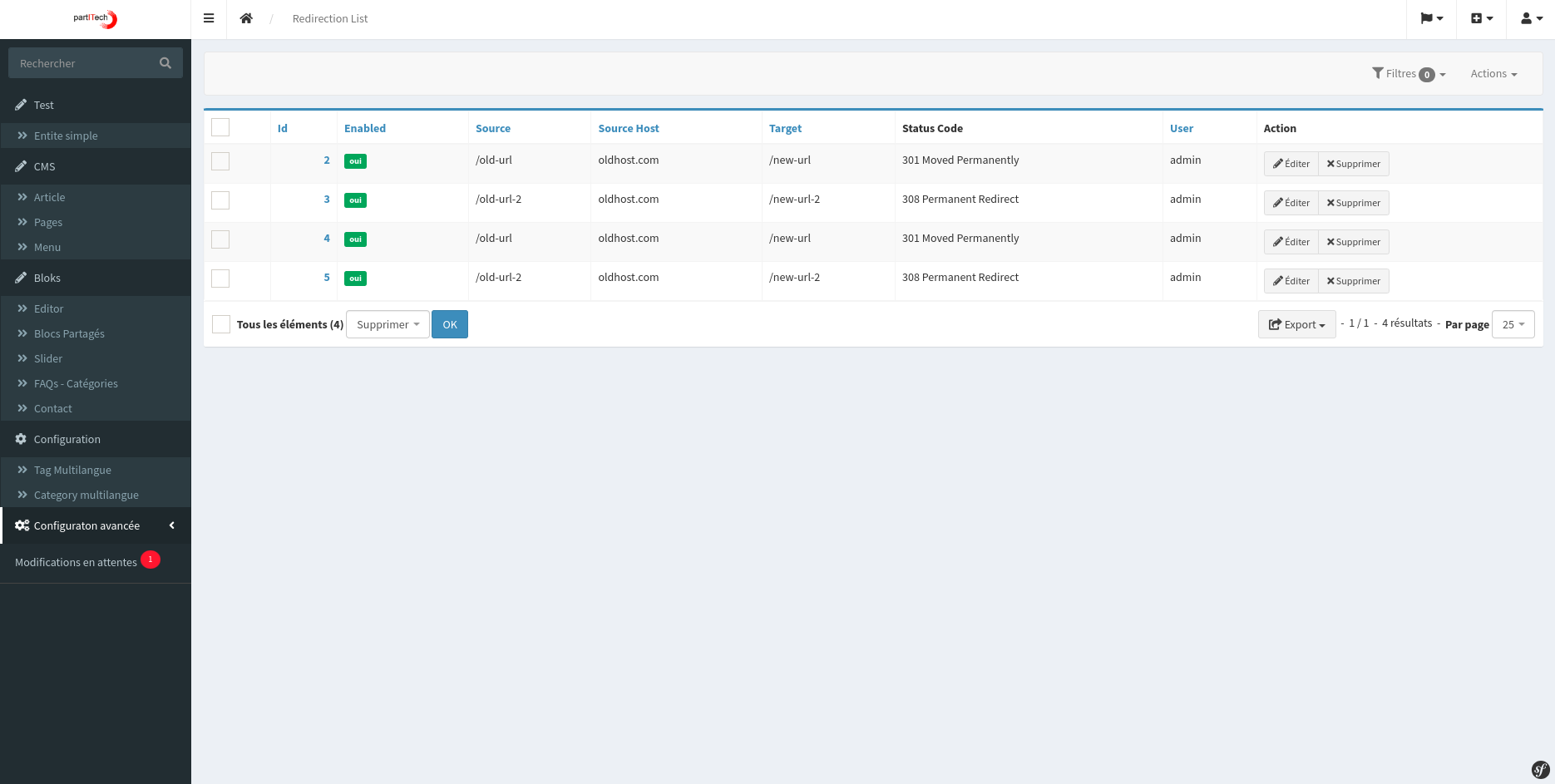
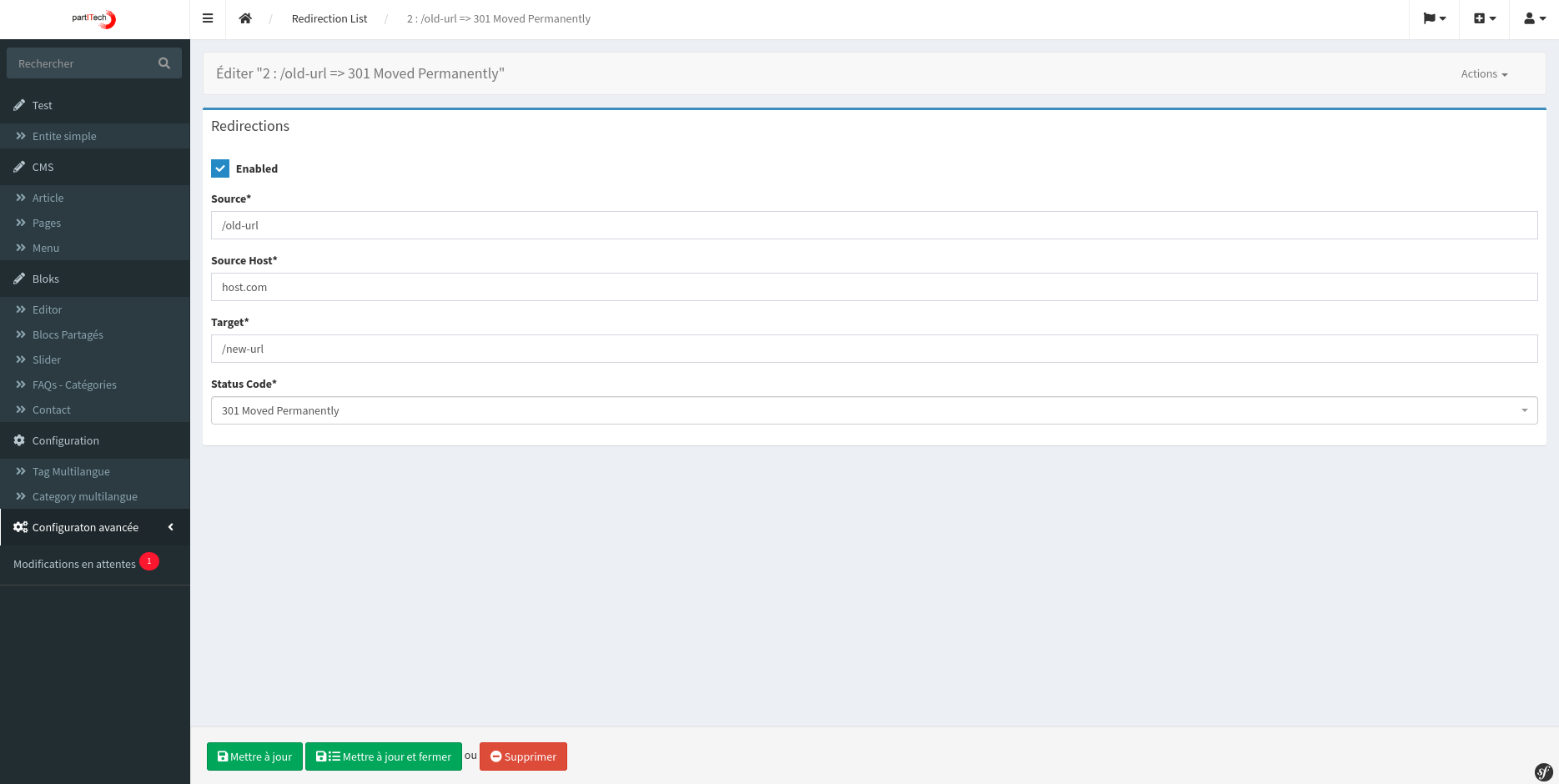
Manage all your header redirects
- Documentation: header-redirection.md
- List view:
- Detailed view:
Language selector
Sonata Extra Bundle offers a feature-rich language selector, compatible with hybrid pages.
- Documentation: language-selector.md
- Front view:

Multilingual management with Sonata Page
The Sonata Extra Bundle enhances the SonataPageBundle by offering full multisite and multilingual management capabilities. This feature allows tracking and switching between page translations on the front-end and supports a flexible multisite strategy.
- Documentation: multilingual-support-for-sonata-page.md
- List view:

- Detailed view:

Multilingual administrations
Multilingual support for administration interfaces. It includes a trait for administration classes to manage multilingual interfaces, and a trait for entities to create the necessary fields. The implementation will add icons for local languages. from sonata_page sites, allowing links with the records and the management of all the languages of the sites.
- Documentation: multilingual-support-for-users-and-administrators.md
- List view of the translation on the selected language site

- Change the translation view on the site of the selected language

- Create a translation from a local model

Firewall
Provides a set of enhanced features for managing firewall rules in the Sonata Admin environment. This bundle allows administrators to create and manage rules to filter requests based on various criteria such as forbidden words, IP addresses, and user agents.
- Documentation: firewall.md
Integration with PrestaSitemapBundle Our application automatically integrates with the "PrestaSitemapBundle" to generate a sitemap.xml file. This feature includes all image elements, article modules, and content pages within the application. The process is fully automated and includes support for multilingual links.
- Documentation: site-map.md
Intelligent services (AI-powered services)
Translation Sonata Extra Bundle offers a powerful feature for automatic translation thanks to its Smart service feature. This feature allows users to easily translate text between different languages using AI-powered translation providers.
- Documentation: intelligent-service.md
Translation command
A command to automate the translation of a selected language for an administrator object.
- Documentation: translation-cmd.md
Translation model
- Documentation: translation-cmd-create-model.md
Import WordPress
The sonata-extra:wordpress-importer command is designed to import images, categories, posts, and tags from a WordPress site into your application. This command is essential for easily integrating WordPress content.
- Documentation: wordPress-import.md
- Import cmd:

Blocks
Cookie Consent Block (GDPR)
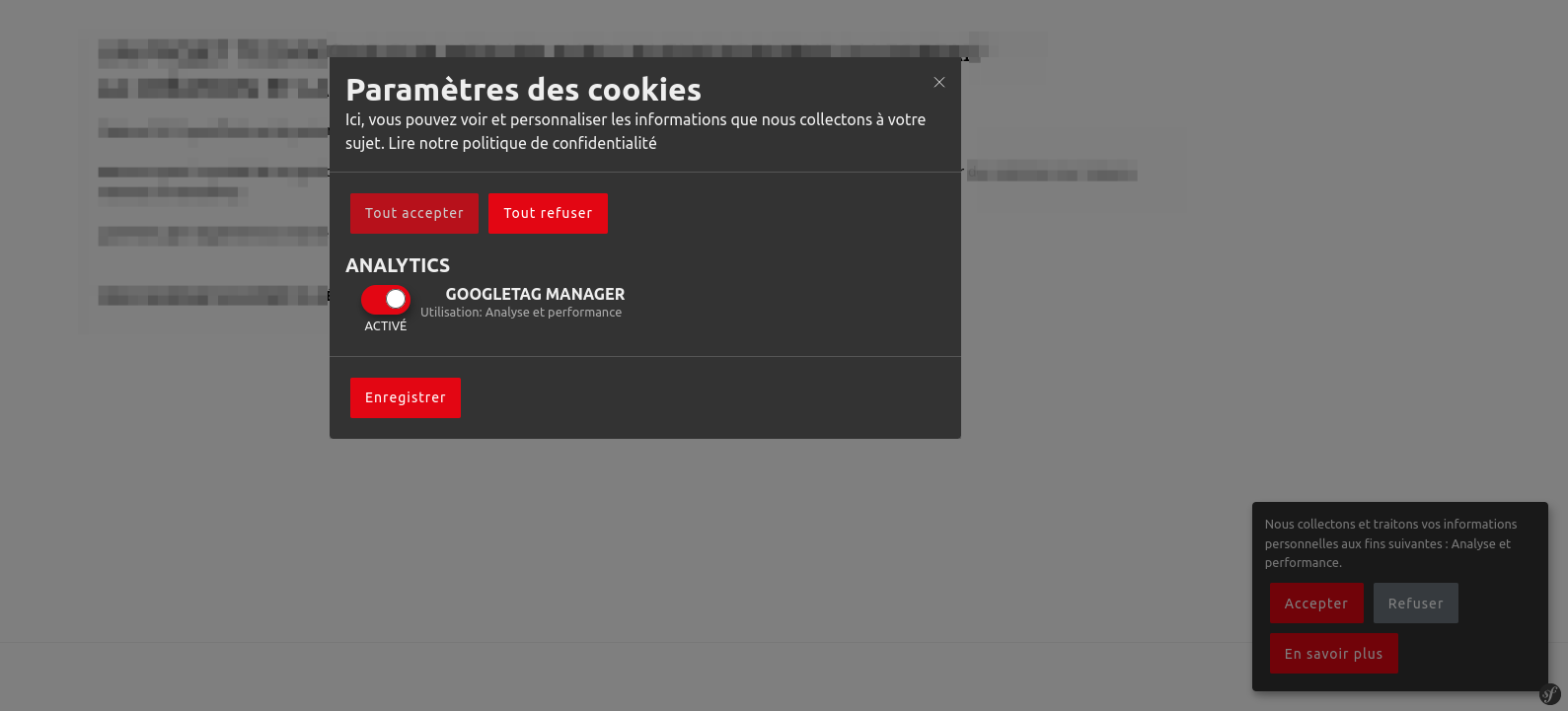
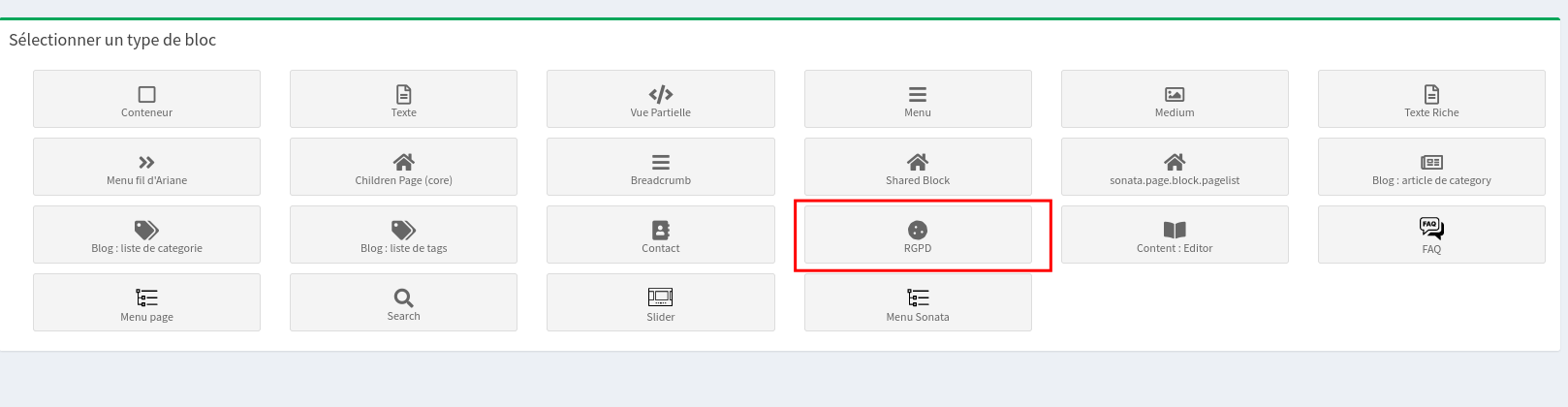
The cookie consent block is a customizable solution integrated into the Sonata Extra Bundle to manage user consent for cookies in accordance with GDPR regulations. It offers a flexible and user-friendly interface for managing cookie consent.
- Documentation: cookie-consent-block.md
Form types
Gutenberg Editor
Integrating the Gutenberg editor into Sonata involves using the 'Automatic Isolated Block Editor' library. This guide details the necessary steps to install and configure the Gutenberg editor in your Sonata application.
- Documentation: form-type-gutenberg.md


Cursor manager with Sonata page block
- Overview :

- Add sliders to the Sonata page with customizable blocks
FAQ manager with Sonata page block
- Easily integrate FAQs into your Sonata pages
- List of FAQs:

- Questions :

- Block :

- Page Edit :

Sonata Page Block Manager
- Hide unwanted blocks in the Sonata page block manager
- Overview :

Article manager with the Gutenberg editor
- Write articles using the Gutenberg editor
- Gutenberg Editor:

- Editor Selector :

Sonata administration forms
- Types of additional forms for Sonata Admin
- Gutenberg Editor:
- Markdown Editor:

Gutenberg editor with advanced features
- The Gutenberg editor of WordPress with file upload, custom templates, and SonataMedia gallery
- Editor view:
- Selection of blocks:
- Pattern selection:
- Multimedia library:
- Detailed view of the media library:
CKEditor Gallery View
- Display galleries in CKEditor with an enhanced user interface
- Select the media:

- Media browser window:

- Overview :
WordPress Automatic Importer
- Code Overview:
- documentation: wordPress_import.md
Adapt the example to the installed version
The Symfony and Sonata examples remain tied to the versions indicated in the article. Symfony 4.x and Symfony 6.2 are no longer maintained: for a current project, use a maintained branch and the documentation that exactly matches your dependencies.
php bin/console about
composer show symfony/framework-bundle sonata-project/admin-bundle
Before resuming the code, check the signatures, services, routes, and templates concerned. Then add a functional test covering permissions, HTTP code, and the visible result.
Reference: maintained Symfony versions.