





Overview
The header redirection tool is designed to manage redirections of incoming requests to your application. It allows the configuration of redirection rules with different HTTP status codes to effectively handle different redirection scenarios.
Screens
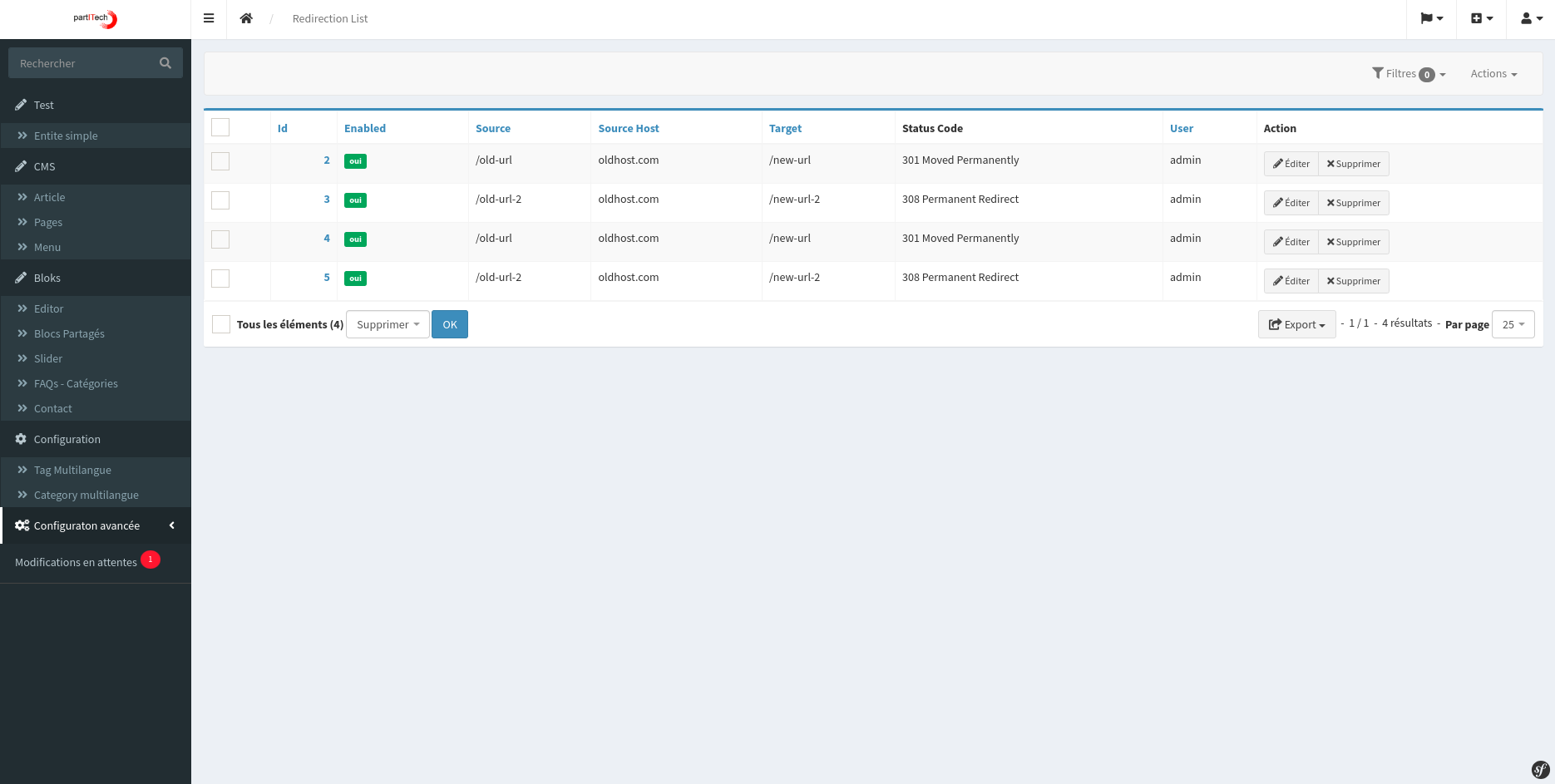
- List view:
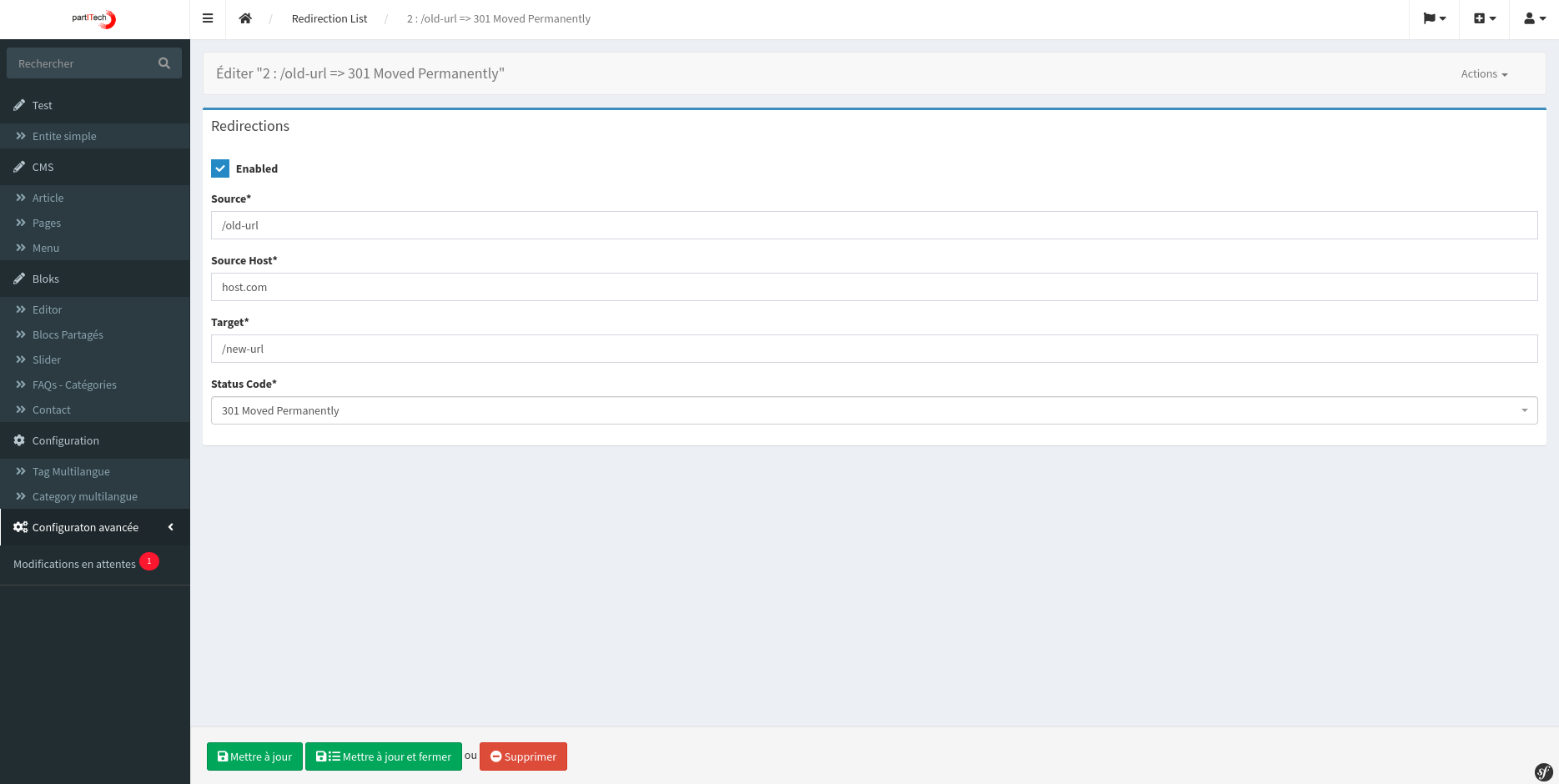
- Detailed view:
Supported HTTP status codes
- 301 — permanent redirect: Indicates that the resource has been moved to a new URL permanently.
- 302 — temporary redirect: Indicates a temporary redirect to a different URL.
- 307 — temporary redirect: Indicates that the resource has been temporarily moved to another URL, without changing the method and the body.
- 308 — permanent redirect: Indicates a permanent redirect similar to 301, but without changing the method or the body.
Features
- Management of redirection rules: Allows the creation and management of redirection rules.
- List view: Displays all configured redirect rules.
- Flexible configuration: users can specify the incoming URL, the domain, and the target URL for the redirection.
- Status Code Specification: Each rule can be configured with one of the supported HTTP status codes to ensure appropriate redirect behavior.
List view
The list view in the header redirection tool provides a comprehensive overview of all redirection rules. It shows the incoming URL, the domain received in the request, the target URL, and the status code chosen for each rule.
Setting up a redirection rule
To configure a new redirection rule, the user must provide the following information:
- Incoming URL: The URL that must be redirected.
- Domain: The domain received by the application.
- Target URL: The destination URL to which the traffic must be redirected.
- Status Code: One of the supported HTTP status codes (301, 302, 307, or 308) depending on the redirection requirement.
Use
- Access the header redirection tool interface in your application.
- To add a new rule, enter the incoming URL, the domain, the target URL, and select the appropriate status code.
- Save the configuration to enable the redirection rule.
- The tool will automatically redirect incoming requests according to the configured rules.
Conclusion
The header redirection tool offers a robust solution for managing traffic redirection in web applications. Its flexibility in configuring redirection rules with different HTTP status codes makes it an essential tool for website management and SEO optimization.
Choose the right HTTP status
Use 301 or 308 for a permanent redirect and 302 or 307 for a temporary redirect. Preserve the HTTP method when the path requires it, avoid redirect chains, and test the header Location with curl -I before publication.