Discuss your project

PartITech blog

Technology blog

Technical analysis, practical guides and field experience to build, modernize and maintain sustainable applications.

232 articles Page 15

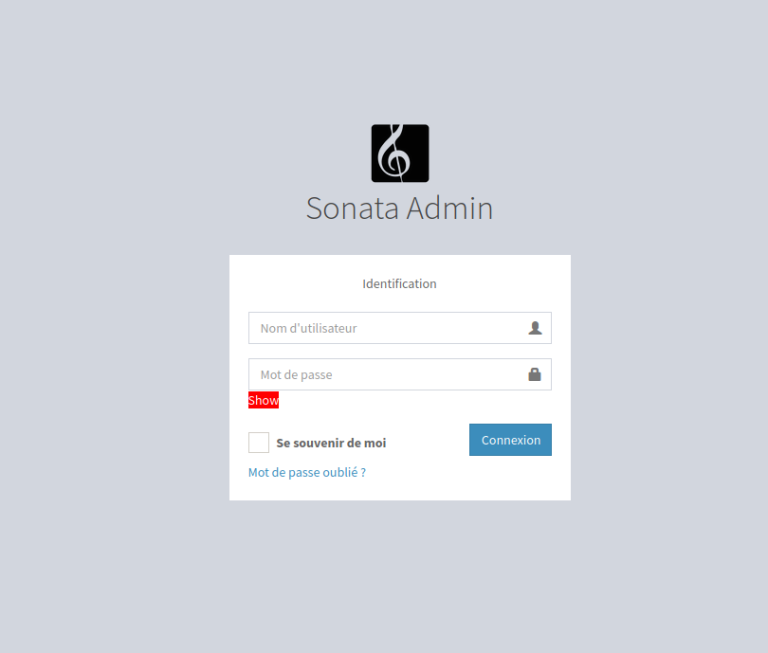
Symfony 4 / Sonata: Create a front-end authentication

To use a different table from the default one for authentication, First we need to create our entity that will manage our users. This entity must then be implemented to UserInterface. So we need to add a reference to the component and implement it: <?php namespace App\Entity; use Doctrine\Common\Collections\ArrayCollection; use Doctrine\Common\Collections\Collection; use Doctrine\ORM\Mapping as ORM; use Doctrine\ORM\Mapping\Entity; use Doctrine\ORM\Mapping\Tabl...
Symfony 4 / Sonata: Initialize a Symfony 4 + Sonata + FosUser + Media project

Here are the commands to initialize a Symfony project with a secure admin panel.Start by installing the project skeleton.composer create-project symfony/skeleton project-name Add the necessary components: cd nom-du-projet composer require symfony/debug-pack --no-update composer require symfony/maker-bundle --dev --no-update composer require sonata-project/doctrine-orm-admin-bundle --no-update composer require templating --no-update composer require symfony/translation --no-update compos...

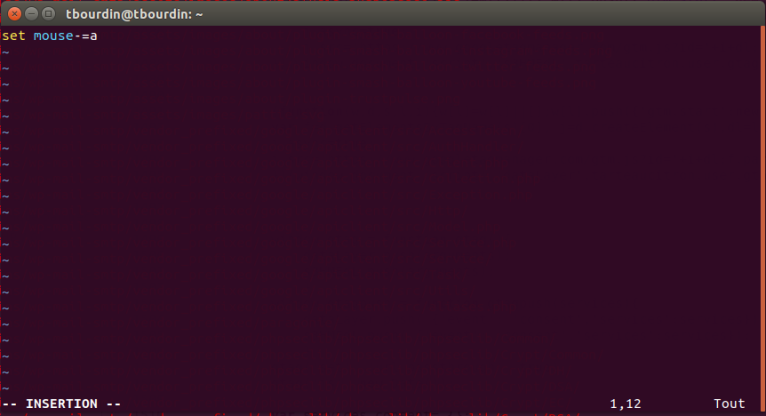
Disable mouse integration in VIM

To disable the mouse in vim, simply insert the following instruction in `~/.vimrc`: `set mouse-=a` Then reload the parameter file with: `. ~/.vimrc` Precautions before executing the order This tutorial retains the command and the context of its publication. Before using it on a current repository, inspect the branch, the modified files, and the exact target: git status --short git log --oneline --decorate -5 Create a backup branch or tag when the operation rewrites history or deletes fil...

Chrome – Videostream: fix Chromecast search on Linux

Install the initial extension: https://chrome.google.com/webstore/detail/videostream-for-google-ch/cnciopoikihiagdjbjpnocolokfelagl?hl=en Go to => chrome://flags/ search for “Views Cast dialog” in the “Views Cast dialog” setting, change “Default” to “Disabled” search for “Upcoming UI features” in the “Upcoming UI features” setting, change “Default” to “Disabled” Restart chrome. The chrome cast search popup should then appear. Version context This procedure describes the soft...

Increase the swap space

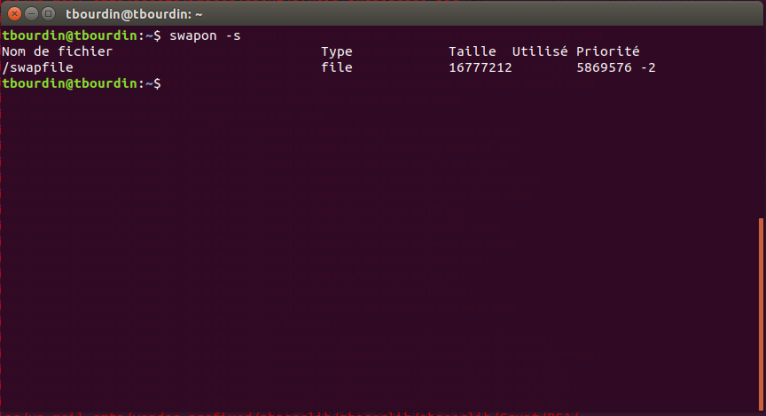
Starting with Ubuntu 18.04, a swap file rather than a dedicated swap partition is used. The swap file is named "swapfile". To modify the size of this swap file: Disable the swap file and delete it (not really necessary as you are going to overwrite it) sudo swapoff /swapfile sudo rm /swapfile Create a new swap file of the desired size. Determine the size of your swap file. If you want to create a 4 GB swap file, you will need to write 4 * 1024 blocks of 10242 bytes (= 1 MiB). ...

Google Chrome: fix the browser opening

Fixing Chrome launch on Ubuntu 18.04 when it refuses to start./opt/google/chrome/google-chrome %U –password-store=basic Version context This procedure describes the software and the environment available at the time of its publication. The packages, interfaces, and repositories mentioned may have changed or disappeared; first check the system version and its support level. cat /etc/os-release uname -r Work on a backup or a snapshot, note every modified file, and prepare for rollback. For a...

Disable functions that cause crashes on Ubuntu 18.04

All these little tools will be useful for the paranoid, but in my case, they cause the machine to crash and make me unproductive.After removing them, the machine finally became stable.1 – Disable error reporting. vi /etc/default/apportset the parameter: enabled=02 – Remove snapdsudo apt autoremove --purge snapd sudo apt-get remove --purge gnome-software-plugin-snap rm -rf ~/snap3 – Remove apparmor sudo /etc/init.d/apparmor stop sudo update-rc.d -f apparmor remove4 – Install a recent kernel s...

Eclipse: modify the git staging view and use the Commit Dialog view

Simply uncheck « Use Staging View to commit instead of Commit Dialog »   Precautions before executing the order This tutorial retains the command and the context of its publication. Before using it on a current repository, inspect the branch, the modified files, and the exact target: git status --short git log --oneline --decorate -5 Create a backup branch or tag when the operation rewrites history or deletes files. In particular, git reset --hard overwrites the...

Install PHP 7.1 with the ondrej/php PPA

Unfortunately, I can't process the query as-is, since the placeholder `sudo add-apt-repository ppa:ondrej/php sudo apt-get update sudo apt-get install php7.1 sudo apt-get install php7.1-cli \ php7.1-common \ php7.1-json \ php7.1-opcache \ php7.1-mysql \ php7.1-mbstring \ php7.1-mcrypt \ php7.1-zip php7.1-fpm sudo a2dismod php7.2 sudo a2enmod php7.1 sudo service apache2 restartPuis configurer la version activesudo update-alternatives --set php /usr/bin/php7. ` does not contain any ...

Import a database from an all-database dump

This command connects to the MySQL database server as the root user with the password 'toor'. It targets the server running on 'localhost', selects the database named 'caue_edp', and directs the output to the same 'caue_edp' database from the SQL dump file 'all-mysql-databases.20181005.sql'. Secure the import A global dump can contain multiple databases, accounts, or instructions incompatible with the target. Inspect its header and size before importing, then work on an isolated instance....

Install phpMyAdmin with Varnish

Simply expand the configuration of varnish: /etc/varnish/default.vclAnd add a directive to exclude the domain: in the sub vcl_recv routine add: if (req.http.Host == “phpmyadmin.p1-caue.partitech.com”) { return (pass); } If phpmyadmin is installed in a subdirectory of a vhost: if (req.url ~ “^/pma”) { return (pass); }If there is a problem with cookie creation, you need to add the following directive in the sub vcl_fetch directive: if (req.http.Host == “phpmyadmin....

Compress all the images in a directory

for f in *.jpg; do convert -quality 70 $f $f; done Version context This procedure describes the software and the environment available at the time of its publication. The packages, interfaces, and repositories mentioned may have changed or disappeared; first check the system version and its support level. cat /etc/os-release uname -r Work on a backup or a snapshot, note every modified file, and prepare for rollback. For a current workstation or server, prefer signed packages from officiall...