






WordPress 7.1, called “Mary Lou”, has been available since August 19, 2026. The version significantly improves editing, media and several APIs, but it also modifies behaviors likely to affect extensions, blocks and custom administration interfaces. Here is the method to follow to update without transforming a functional new feature into a production incident.
1. What WordPress 7.1 actually contains
WordPress 7.1 is not just a maintenance release. The official publication highlights a persistent administration bar in the editing interfaces, new responsive settings in the site editor, an overhaul of media editing, enriched collaborative notes and new blocks such as tabs and reading lists.
The technical guide for the version also mentions more than 180 corrections in the core, more than 630 corrections from Gutenberg, around a hundred improvements and several API developments. This density justifies a structured acceptance-testing process, even when the site rarely uses the front-end block editor.
However, certain expected functions were not integrated into the final version. React 19 and real-time collaboration were notably delayed. It is therefore important to work from the final release notes, and not from articles published during the beta cycle.
2. Immediately visible editorial improvements
Content teams will quickly see several useful changes. Responsive styles can be adjusted from the site editor, without systematically adding specific CSS. The Notes functionality gains rich text and mentions, while the Playlist and Tabs blocks offer new structuring possibilities.
These features potentially reduce the number of custom components. However, they should not be activated without checking their behavior with the theme, templates and existing editorial rules. A more recent native block is not automatically preferable to a component that has already been industrialized, translated and tested.
For a site administered by several profiles, you must also check the rights. A new capability visible to an administrator does not necessarily have to be open to a contributor or customer. Acceptance testing must therefore be performed with the roles actually used, not just with an administrator account.
3. New browser-side image processing
One of the most interesting changes concerns the media. WordPress 7.1 can do some of the compression, resizing, and thumbnail generation in the browser before sending to the server. The objective is to reduce the PHP load and avoid certain failures related to memory or upload delays.
The benefit can be significant for limited hosting or contributors who directly import very heavy photos. However, three points must be checked: the visual quality obtained, the conservation of useful metadata and compatibility with the optimization extensions already installed.
A media channel that resizes an image in the browser, then again in WordPress, and finally in a CDN can produce unnecessary degradation. The update is therefore an opportunity to document the complete pipeline: source file, local transformation, WordPress sizes, WebP or AVIF conversion, caching and distribution.
4. Technical changes to watch out for
WordPress 7.1 now consistently runs the content editor canvas in an iframe, for all themes. Extensions that directly manipulate the parent document, inject styles at the wrong level, or assume that the canvas shares the same DOM context may experience regressions.
The release also updates jQuery UI and evolves several elements of the editor, including DataViews, DataForm, global styles and the public icon registration API. The latter is useful for harmonizing extensions, but it enforces a conservative list of allowed SVG attributes. A personalized icon using unauthorized properties may therefore be corrupted.
Testing should cover console JavaScript errors, custom admin screens, advanced fields, house blocks, previews, and content saving. A page that “seems to work” may hide an error that only becomes apparent after several changes.
5. Points of vigilance for YOOtheme and page builders
On a YOOtheme, Elementor, Divi or equivalent site, it would be tempting to consider the new Gutenberg features as secondary. This is a mistake: the WordPress core, media library, roles, APIs and many extensions remain common to the entire site.
For YOOtheme, you must at least test opening and saving a page, dynamic fields, article models, responsive images, the media library, possible shortcodes and interactions with ACF. It is also necessary to check that an article modified from the native editor does not lose any parameters used by the constructor.
Multilingual sites require additional acceptance testing: duplication or translation of content, media synchronization, links between languages, previewing and updating SEO metadata.
6. The pre-production acceptance checklist
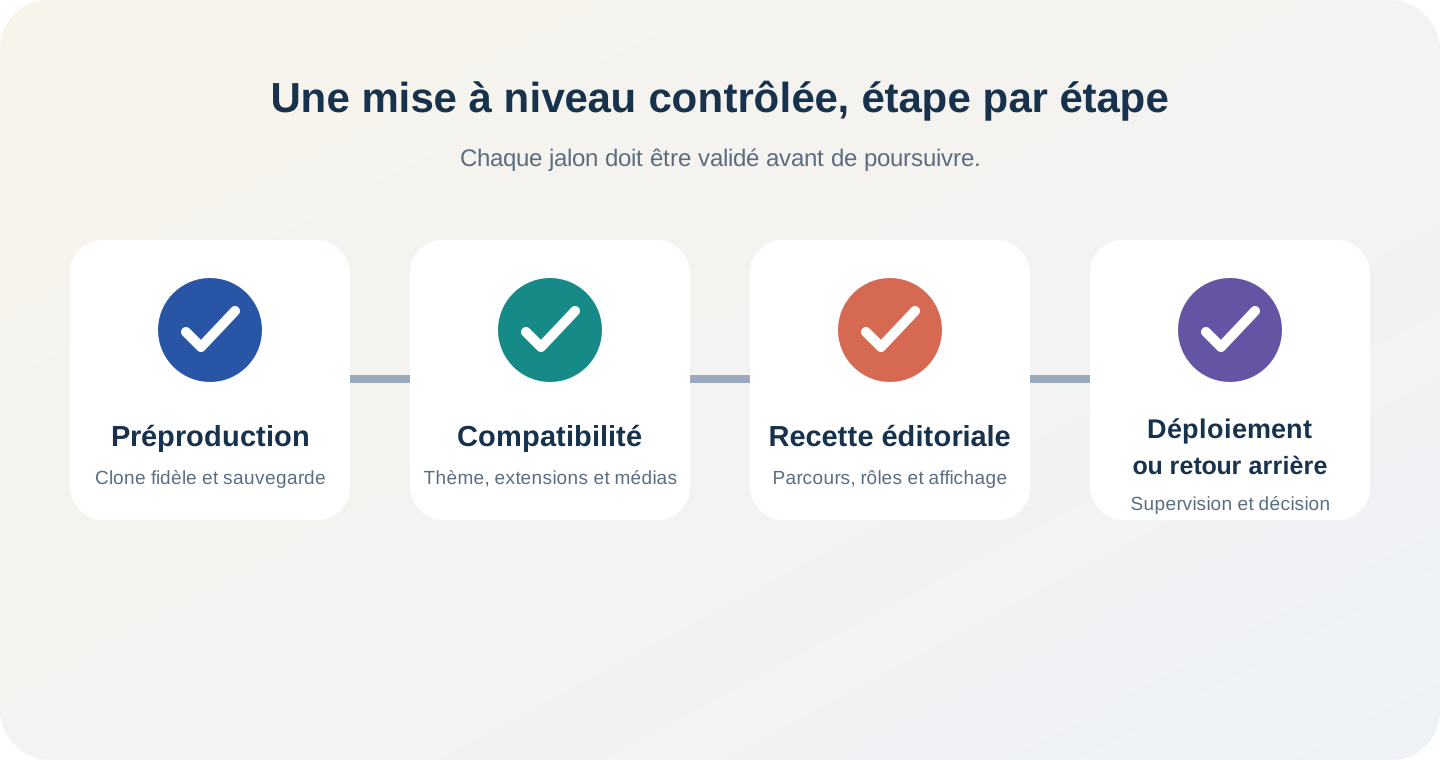
A serious update starts with a recent production clone, with the same versions of PHP, database, cache and extensions. The acceptance plan must then cover the following routes:
- login, password reset and role management;
- creation, modification, preview and publication of a page and an article;
- import, crop, replace and delete an image;
- editing long content containing blocks, tables, buttons and media;
- operation of forms, searches, filters, private spaces and API calls;
- rendering templates on mobile, tablet and desktop;
- absence of PHP, JavaScript errors, scheduled tasks or abnormally slow requests;
- control strategic pages with a visual comparison tool.
You must also run the available non-regression tests and check for extensions that have been abandoned or not declared compatible. The absence of an alert message is not proof of compatibility.
7. The recommended deployment plan
The deployment must be carried out within a controlled window. Before intervention, back up the files, database, cache configuration and, if possible, a complete snapshot of the environment. Test the restore before you need it.
Then apply the update in pre-production, fix incompatibilities, and then rerun the acceptance tests with a sample of real content. In production, activate a short maintenance mode, deploy the same validated versions, clear caches and perform immediate monitoring of critical paths.
The first few hours should be monitored: error rates, PHP logs, response times, task queues, email sendings and feedback from editorial teams. The rollback plan must specify who decides, what threshold triggers the rollback, and how content captured in the meantime is handled.
8. Should you update immediately?
A major release brings useful improvements and fixes that should not be ignored. However, it does not require it to be put into production on the day of its release. For a simple showcase site, a few days of validation may be enough. For an extranet, an online business or a highly personalized platform, a dedicated acceptance-testing campaign is preferable.
The right indicator is not the number of days since publication, but the level of control of your update channel. A site with faithful staging, testing, and rollback can quickly adopt WordPress 7.1. A site without tested backup or inventory of extensions must first secure its operation.
This approach is consistent with our method of maintenance recovery of a business application : observe, reproduce, test and only then modify the production.
Conclusion
WordPress 7.1 significantly improves the editorial experience and media processing. However, its value depends on the quality of the deployment. Acceptance testing focused on the editor, images, extensions and roles allows you to take advantage of the new features without weakening existing paths.
Partitech supports companies in the audit, upgrade and maintenance of WordPress and YOOtheme sites, with pre-production, non-regression testing, performance optimization and rollback plan.